Home
What to Prepare Before Joining a Multi-Vendor Marketplace
What to Prepare Before Joining a Multi-Vendor Marketplace
By Rebecca Catakaw
Aug 15, 2026
105

READY TO JOIN A MARKETPLACE? PREPARE THESE DETAILS BEFORE YOU APPLY AS A VENDOR!
Joining a multi-vendor marketplace can be one of the smartest ways for small businesses, entrepreneurs, online resellers, beauty sellers, electronics vendors, and growing brands to start selling online more professionally.
A marketplace gives vendors the opportunity to showcase products, reach more customers, build store visibility, and grow inside a trusted digital platform. But before submitting your vendor application, you should prepare the right information first.
A complete vendor onboarding checklist can help you save time, avoid delays, and create a stronger first impression when joining a marketplace like RB Marketplace.
Why Preparation Matters Before Joining a Marketplace
Many sellers want to start selling online quickly, but they often forget that a marketplace needs clear business details, store information, product data, and customer service readiness.
If your vendor application is incomplete, your onboarding process may take longer. If your product details are missing, your store may not look professional. If your pricing, images, or shipping details are unclear, customers may not feel confident buying from you.
Preparing before you apply helps you:
Speed up vendor approval
Create a professional store profile
Upload products faster
Build customer trust
Reduce mistakes during product listing
Improve your chance of selling successfully online
A strong marketplace seller should not only have products. They should also have clear information, organized content, and a basic plan for serving customers.
1. Prepare Your Business Name
Before joining a multi-vendor marketplace, make sure you have a clear business or store name.
Your store name should be simple, professional, and easy for customers to remember. It should also match the type of products you sell.
For example, if you sell skincare products, your store name should sound relevant to beauty, wellness, or personal care. If you sell electronics accessories, your name should feel modern, reliable, and tech-friendly.
Your business name is one of the first things customers see, so make it clear and trustworthy.
2. Prepare Your Store Logo
A professional logo helps your vendor store look more credible. It shows customers that your business is serious and ready to sell online.
Your logo should be clear, high-quality, and easy to recognize. Avoid blurry images, low-resolution screenshots, or complicated designs that are hard to read.
A strong store logo can help with:
Brand recognition
Customer trust
Professional store presentation
Marketplace visibility
Social media promotion
If you do not have a logo yet, prepare a simple and clean version before submitting your vendor application.
3. Prepare Your Contact Information
Marketplace platforms need accurate contact information to review and support vendor accounts.
Before applying, prepare:
Business email
Phone number
WhatsApp number if available
Business address or operating location
Customer support contact
Social media links if available
Make sure all contact details are correct. Wrong information can delay communication and create problems during onboarding.
4. Prepare Your Product Categories
Before joining a marketplace, you should know which category your products belong to.
RB Marketplace focuses on categories such as:
Beauty and personal care
Skincare
Haircare
Cosmetics
Electronics
Phone accessories
Chargers and cables
Smart gadgets
Personal tech accessories
Choosing the correct category helps customers find your products more easily. It also helps the marketplace organize your store properly.
If you sell different types of products, group them clearly before applying.
5. Prepare Your First Product List
You do not need hundreds of products to start. A small but complete product catalog is better than a large list with missing information.
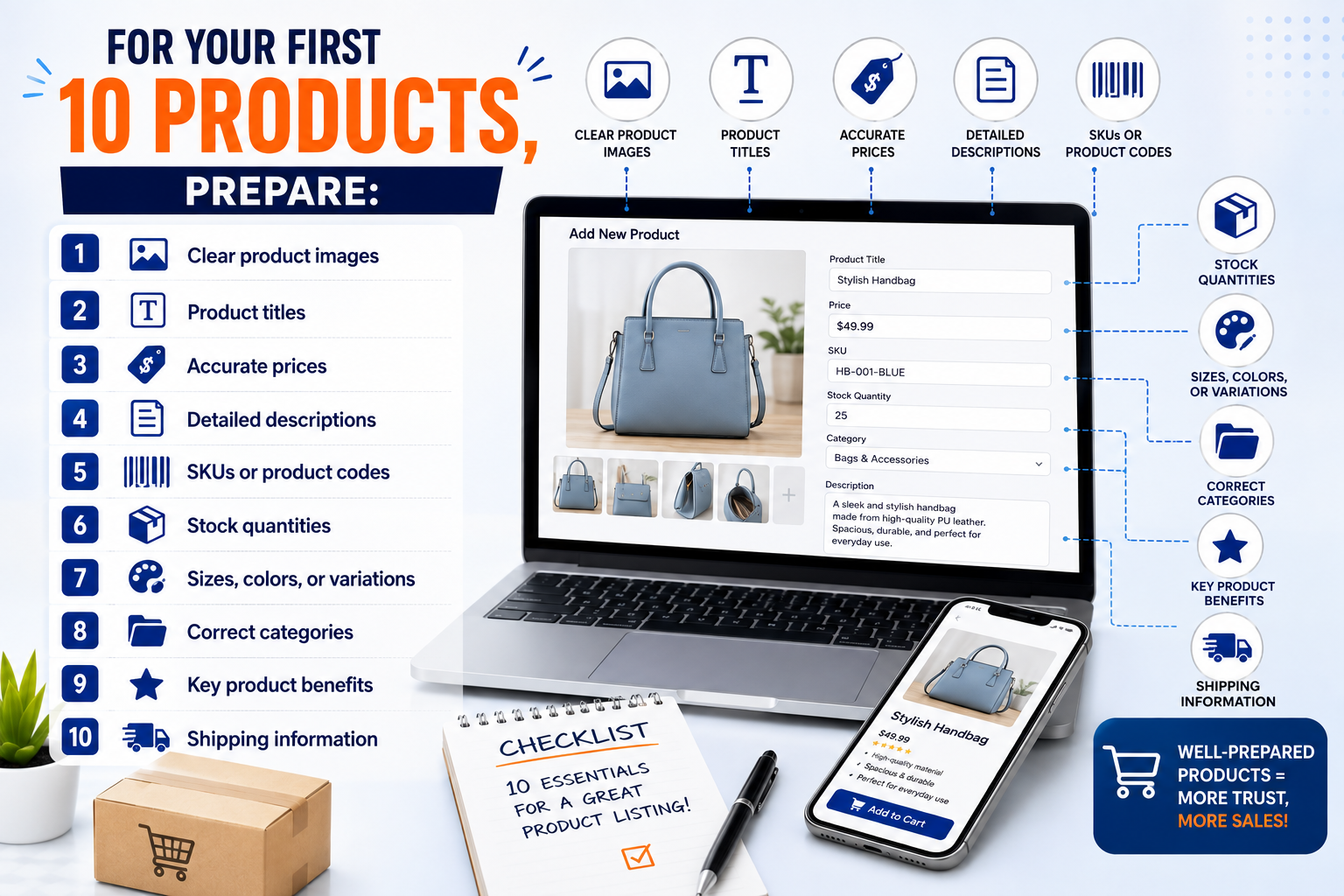
Before applying as a vendor, prepare your first 10 to 20 products with complete details.
For each product, you should prepare:
Product name
Product category
Product price
Product description
Product images
SKU or product code
Stock quantity
Size, color, or variation
Product benefits
Shipping information
This helps your onboarding process become faster and more organized.
6. Prepare Clear Product Images
Product images are one of the most important parts of online selling. Customers cannot touch or test the product, so they depend on images to understand what they are buying.
Your product images should be:
Clear
Bright
High-quality
Not blurry
Focused on the product
Free from too much background distraction
Consistent in style if possible
For beauty products, show packaging, texture, size, and usage where possible.
For electronics accessories, show product details, ports, sizes, colors, and compatibility.
Good images can increase customer confidence and make your store look more professional.
7. Prepare Product Titles
A product title should tell customers exactly what the item is.
Avoid short and unclear titles like:
“Hair oil”
“Phone case”
“Charger”
Use more descriptive and SEO-friendly titles such as:
“Nourishing Hair Oil for Dry and Damaged Hair”
“Shockproof iPhone Case With Clear Protective Cover”
“Fast Charging USB-C Cable for Smartphones”
A good product title helps customers understand your product quickly and can improve product discovery inside the marketplace.
8. Prepare Product Descriptions
A strong product description helps customers understand the value of your product.
Your description should explain:
What the product is
Who it is for
How it is used
Key features
Main benefits
Size or quantity
Material or ingredients if relevant
Care instructions if needed
Do not copy only one or two words. Customers need enough information to make a buying decision.
A clear product description can help reduce customer questions and increase trust.
9. Prepare Accurate Prices
Before joining a marketplace, make sure your prices are accurate and consistent.
Customers should not have to message you just to ask for the price. Clear pricing creates trust and makes the shopping experience easier.
Prepare:
Retail price
Discount price if available
Wholesale price if applicable
Bundle price if you offer packages
Currency information
Tax or fee details if needed
Unclear pricing can reduce customer interest and slow down the buying process.
10. Prepare Stock Quantity
Inventory information is very important for marketplace selling.
Before applying, check how many units you currently have available. If your product has sizes, colors, or variations, prepare the stock quantity for each option.
For example:
Black phone case: 20 units
Blue phone case: 15 units
Red phone case: 10 units
Accurate stock information helps avoid overselling and improves customer satisfaction.
11. Prepare Shipping and Delivery Information
Customers want to know how their orders will be delivered.
Before joining a marketplace, prepare your shipping details, including:
Shipping areas
Delivery time
Shipping fees
Pickup options if available
Local delivery options
International shipping if available
Return or exchange policy if applicable
Clear shipping information helps customers feel more confident before placing an order.
12. Prepare Your Store Introduction
Your vendor store should have a short introduction that tells customers who you are and what you sell.
A good store introduction can include:
Your business name
Your product focus
Your mission
Your product quality promise
Your customer service message
Example:
“Welcome to our store. We offer quality beauty and personal care products designed to help customers feel confident every day. Our goal is to provide trusted products, clear service, and a convenient online shopping experience.”
A professional store introduction helps build trust with new customers.
13. Prepare Your Social Media Links
If you already sell on Facebook, Instagram, TikTok, WhatsApp, or other platforms, prepare your links before applying.
Social media links can help the marketplace understand your business presence and can also support promotion after your store is approved.
Prepare links such as:
Facebook page
Instagram profile
TikTok account
WhatsApp contact
Website if available
Product portfolio if available
This can help strengthen your vendor application.
14. Prepare Customer Service Readiness
Joining a marketplace means you need to be ready to serve customers professionally.
Before applying, make sure you can respond to customer questions, confirm product availability, process orders, handle delivery updates, and support buyers after purchase.
Good customer service helps vendors:
Build trust
Get repeat customers
Reduce complaints
Improve brand reputation
Increase long-term growth
A successful marketplace seller should not only focus on products. Customer experience also matters.
15. Prepare Your Vendor Mindset
A marketplace is not only a place to upload products. It is a digital business environment where vendors need to stay active, update products, promote offers, and serve customers consistently.
Before joining, ask yourself:
Am I ready to sell online professionally?
Are my product details complete?
Can I manage customer questions?
Can I update stock and prices regularly?
Can I prepare orders on time?
Am I ready to promote my store?
If the answer is yes, you may be ready to join a marketplace.
Vendor Onboarding Checklist
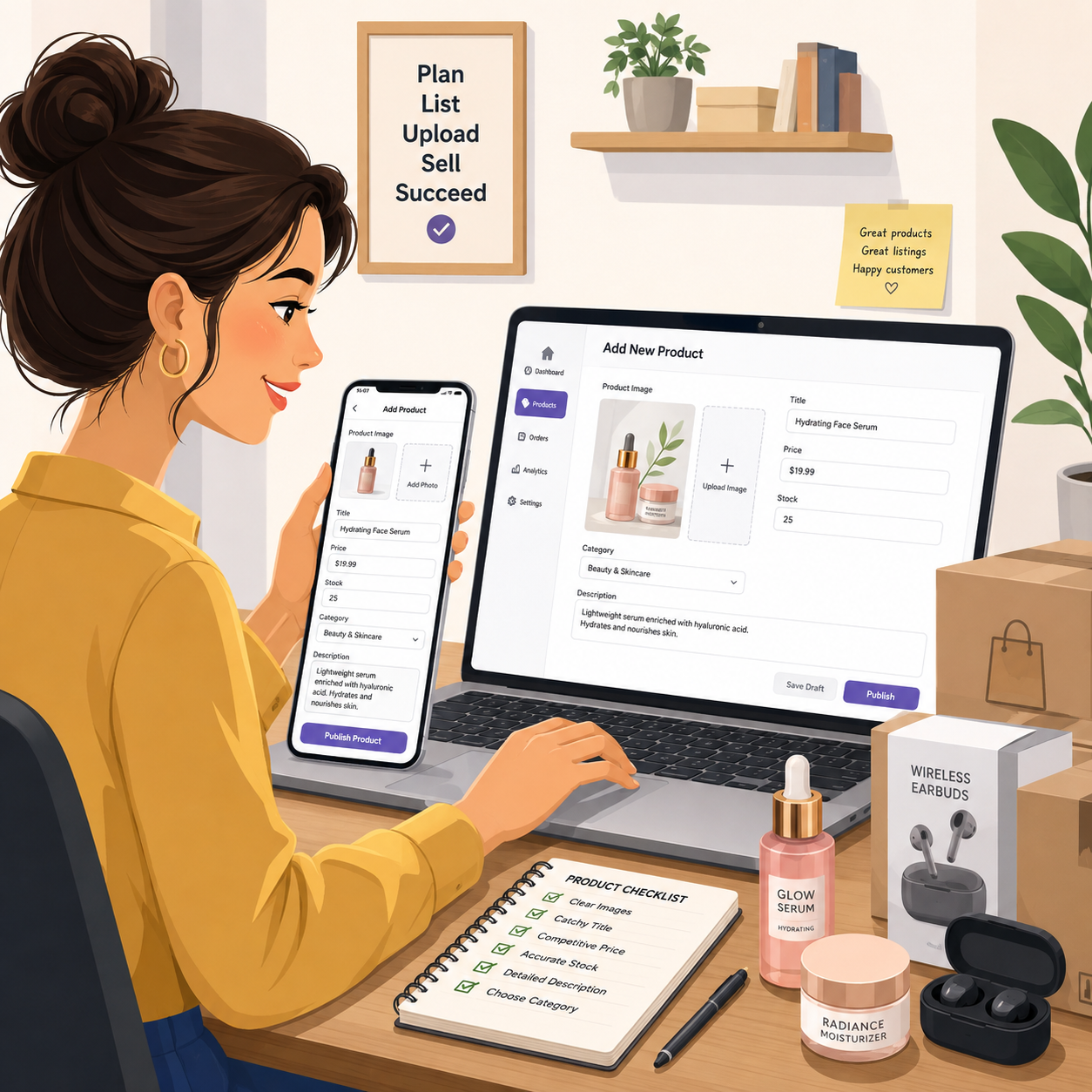
Before submitting your vendor application, prepare:
Business or store name
Store logo
Contact information
Product categories
First 10 to 20 product listings
Clear product images
SEO-friendly product titles
Product descriptions
Accurate prices
SKU or product codes
Stock quantities
Sizes, colors, or variations
Shipping and delivery details
Store introduction
Social media links
Customer service plan
Having these details ready can make your vendor onboarding process faster, smoother, and more professional.
Final Thoughts
Joining a multi-vendor marketplace is a powerful opportunity for small businesses and entrepreneurs who want to sell online, reach more customers, and grow their digital presence.
But success starts with preparation.
Before you submit your vendor application, take time to organize your store information, product details, images, pricing, stock, and shipping policy. A complete vendor onboarding checklist can help you launch faster and create a stronger impression with customers.
RB Marketplace is built to help vendors showcase products, promote their store, and grow inside a trusted online marketplace community.
READY TO JOIN A MARKETPLACE AND GROW YOUR BUSINESS ONLINE?
Visit RB Marketplace today and prepare your vendor application.
👉 Visit: https://rbmarketplace.co/
👉 Join RB Marketplace Community and start buying, selling, promoting, and growing with us.